When a small or medium business decides to build a website, the conversation usually starts with budget and ends with "let's just use a template." Wix, Squarespace, a WordPress theme from ThemeForest — they're fast, affordable, and look professional enough.
But "professional enough" is doing a lot of heavy lifting in that sentence.
This isn't an article about aesthetics. This is about what's actually happening under the hood — the code, the performance, the security, and the long-term business impact of choosing a template over a custom-built website. Because the difference is significant, and most business owners never find out until it's too late.
1. Page Speed: The Silent Killer of Online Business
Page speed is one of the most important factors in both user experience and SEO ranking. Google has been explicit about this since 2021 when Core Web Vitals became an official ranking signal.
Here's the problem with templates: they're built to impress in a demo, not to perform in production.
A typical premium WordPress theme comes loaded with:
- CSS files for dozens of layout options you'll never use
- JavaScript libraries for animations, sliders, and popups — whether you need them or not
- Multiple database queries on every page load
- Render-blocking resources that delay how quickly a page appears on screen
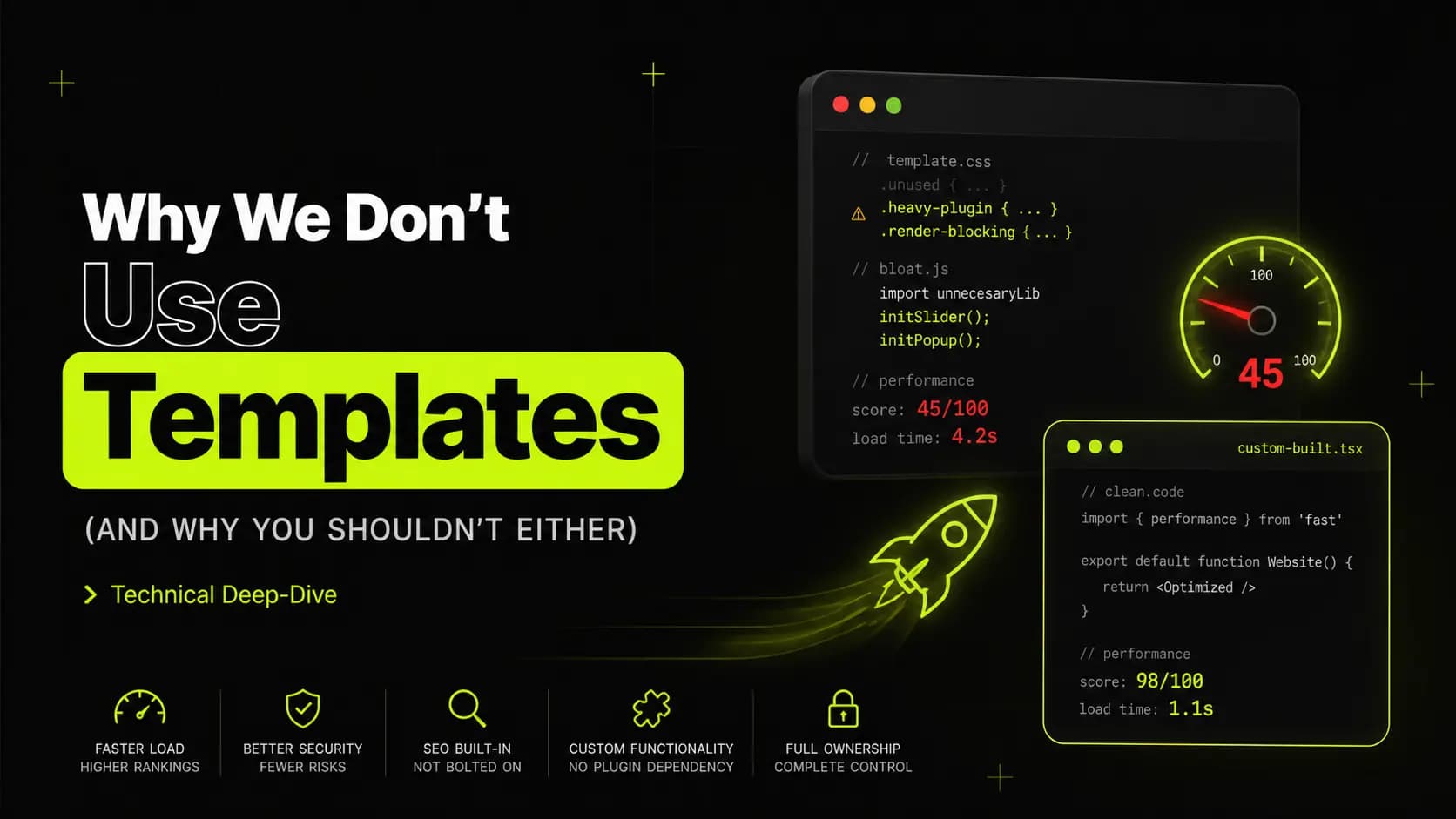
The result? A site that scores 45 out of 100 on Google PageSpeed Insights. A site where mobile users wait 4-5 seconds for the first content to appear. Studies consistently show that 53% of mobile users abandon a site that takes longer than 3 seconds to load. Every second of delay costs you visitors — and visitors are potential clients.
A custom-built website, by contrast, loads only what it needs. Every line of CSS is intentional. Every JavaScript function exists for a specific purpose. There's no dead code sitting in the background, no unused font variants being downloaded, no library imported for one animation on one page.
The difference in real numbers: a well-built custom site typically scores 90-100 on PageSpeed Insights. That's not just better user experience — that's a direct ranking advantage over your template-using competitors.
2. Plugins: Convenience That Comes at a Price
This is where WordPress specifically creates a problem that most business owners don't see coming.
WordPress is an incredible platform. Its flexibility is unmatched, and it powers over 40% of all websites on the internet. But that flexibility comes with a dependency on plugins — and plugins are where things get complicated.
The security problem
Every plugin you install is a piece of third-party code running on your server. Each one is a potential entry point for attackers.
According to WPScan, over 97% of WordPress vulnerabilities come from plugins and themes — not from WordPress core itself. The most common attack vectors are:
- Outdated plugins — a plugin that hasn't been updated in six months may have known security vulnerabilities that hackers actively exploit
- Abandoned plugins — developers stop maintaining plugins all the time, leaving security holes permanently open
- Poorly coded plugins — not every plugin developer follows security best practices, and some introduce SQL injection or cross-site scripting vulnerabilities directly
A typical template-based WordPress site has anywhere from 15 to 30 plugins installed. Page builder, contact form, security plugin, caching plugin, backup plugin, social sharing, cookie consent, GDPR compliance, WooCommerce, payment gateway, slider, popup builder — it adds up fast.
Each one of those plugins needs to be kept updated regularly, monitored for security announcements, and tested after every update to make sure it didn't break something else.
This is a maintenance burden that most small business owners don't have time for — and when things slip, the consequences can be severe. A hacked website doesn't just go offline. It can be used to distribute malware, send spam, steal customer data, and get blacklisted by Google — which means disappearing from search results entirely.
The performance problem
Beyond security, plugins create performance problems. Every active plugin adds to your page load time. Some add database queries on every request. Some load their own CSS and JavaScript files on every page — even pages where they're not needed.
A contact form plugin that loads its scripts on your About page, a slider plugin that downloads a 200KB JavaScript library on your Blog page — these are real, measurable costs to your site's speed.
The conflict problem
Plugins are built independently by different developers. They don't always play nicely together. Plugin conflicts — where two plugins interfere with each other — are one of the most common causes of WordPress sites breaking after an update. If you've ever updated a plugin and had your site go white, you know exactly what this feels like.
The custom solution
A custom-built website replaces almost all of these plugins with purpose-built functionality. A contact form doesn't need a plugin — it's a handful of lines of code. An SEO setup doesn't need to rely solely on plugins — meta tags, schema markup, and structured data can be written directly into page templates, giving you complete control without depending on a third-party plugin that may change its pricing, features, or compatibility with future updates.
The result is a site with a minimal attack surface, no plugin conflicts, no update anxiety, and no unnecessary code running on every page load.
3. SEO: Built In vs Bolted On
Search engine optimization on a template site is almost always an afterthought. You install a plugin, fill in the meta description field, and hope for the best.
Custom sites allow SEO to be built into the foundation — and the difference is significant.
Schema markup
Schema markup is structured data that tells Google exactly what your content is about. It enables rich results in search — star ratings, FAQ dropdowns, breadcrumbs, product information — which dramatically increase click-through rates.
On a template site, schema markup is limited by what your SEO plugin supports, and free plugin tiers often restrict access to the most powerful schema types. On a custom site, you write exactly the schema you need — Organization, LocalBusiness, FAQPage, BlogPosting, BreadcrumbList — with complete control over every property.
Page structure and crawlability
Google's crawler reads your HTML and tries to understand the hierarchy and importance of content on each page. Template sites often produce messy HTML — multiple H1 tags, inconsistent heading hierarchies, div soup that makes it hard for crawlers to understand page structure.
Custom sites are built with semantic HTML from the start. Every heading level is intentional. Every section has a clear purpose. The crawler's job is made easy — and easier crawling means more complete indexing.
Core Web Vitals
As mentioned earlier, Core Web Vitals — Largest Contentful Paint, First Input Delay, Cumulative Layout Shift — are direct Google ranking factors. Custom sites are built with these metrics in mind from the beginning. Images are properly sized and in modern formats. Fonts are preloaded to prevent layout shifts. JavaScript is deferred so it doesn't block rendering.
Template sites often fail Core Web Vitals out of the box and require significant additional optimization — caching plugins, CDN setup, image optimization plugins — which adds complexity and, ironically, more plugins.
4. Custom Functionality vs Plugin Dependency
Here's a scenario that plays out constantly: a business grows, their needs change, and they need their website to do something new. With a template and plugin setup, the answer is usually "find a plugin for that."
Need a booking system? Plugin. Need a membership area? Plugin. Need a custom calculator? Plugin. Need a product configurator? Plugin.
Each new plugin adds to the maintenance burden, the security surface, and the performance cost. And sometimes the plugin you need simply doesn't exist, or the one that exists costs $200/year and does 90% of what you need but not the specific 10% that matters for your business.
Custom functionality built directly into your site does exactly what you need — nothing more, nothing less. It integrates seamlessly with the rest of the codebase, adds no unnecessary overhead, and doesn't depend on a third-party developer continuing to maintain it.
Custom functions we commonly build instead of using plugins:
- Contact and inquiry forms with custom fields and validation
- Booking and appointment systems
- Product filters and search functionality
- Client portals and protected content areas
- Multi-language support
- Custom post types and content structures
- API integrations with CRMs, email platforms, and payment processors
5. Ownership and Control
When you build on a template or page builder platform, you're often locked in. Your content, your design, your functionality — all of it dependent on a platform continuing to exist and a developer continuing to support a theme.
Themes get abandoned. Page builder companies get acquired or shut down. The specific version of a page builder your site was built on stops being supported, and suddenly updating WordPress core breaks your entire site.
A custom-built site gives you complete ownership. The code is yours. There's no dependency on a theme company, no subscription to a page builder, no risk of a plugin being pulled from the repository. You can hand that codebase to any developer in the world and they can understand and extend it.
6. The Long-Term Cost Reality
Let's talk numbers, because the "templates are cheaper" argument deserves a proper response.
Template route:
- Theme: $60-200 one-time or $10-30/month subscription
- Premium plugins: $200-500/year in total
- Hosting: $10-30/month
- Developer time for fixes and updates: $50-150/hour when things break
- Performance optimization: ongoing effort and cost
- Security incidents: potentially devastating — recovery can cost thousands
Custom route:
- Higher upfront investment
- Lower ongoing maintenance cost
- No plugin subscriptions
- Significantly lower risk of security incidents
- Better performance without additional optimization tools
- A site that actually converts visitors into clients
The question isn't which option costs less to build. The question is which option costs less over three years — and which one actually generates revenue.
Conclusion: Good Enough Isn't Good Enough
Templates exist because building a website used to require significant technical expertise. That barrier has lowered dramatically, and for certain use cases — a personal blog, a simple landing page, a side project — templates are perfectly appropriate.
But for a business that depends on its online presence to generate leads, build credibility, and convert visitors into paying clients, "good enough" is a gamble you can't afford to take.
A custom website is faster, more secure, better optimized for search, easier to extend, and built to represent your business specifically — not businesses in general.
It's not a luxury. It's the foundation your business deserves.
At Recursion, every website we build is custom — designed from scratch, optimized for performance, and built to grow with your business. No templates, no shortcuts.
Ready to get serious about your online presence? Let's talk.